
The working day
The office is only part of the working day.
Sales and property management teams spend much of their time away from a desk. Enquiries still come through the agency, documents still need to be found and someone needs to know who is handling the next step.
Where to focus
Start with what gets in the way.
- 01
Enquiries crossing between people
Office calls, mobile conversations and after-hours messages need clear routing and ownership. A business number should not depend on one person being at their desk.
- 02
Files needed away from the office
Agency-managed devices and appropriate access help people work without resorting to personal inboxes and ad hoc file sharing.
- 03
More offices, more variations
Different phone systems and network setups turn simple changes into separate jobs. A branch standard gives the next office a starting point.
Capabilities at work
Connect the office, the inspection and the follow-up.
An enquiry reaches reception
The caller needs sales or property management, and the intended person may be out.
How the technology contributesBusiness calling routes the conversation according to the agency’s team structure and availability rules.
An agent is between appointments
They need an agency document or a conversation handed over by a colleague.
How the technology contributesApproved mobile access and shared information support work beyond the desk.
A listing or staff role changes
Window content, shared access and calling arrangements need updating.
How the technology contributesNamed owners and clear change processes help keep the agency’s customer-facing information current.
Solutions portfolio
The right services. A clear role for each.
Choose the services your organisation needs. The scope, responsibilities and delivery plan are agreed around your environment.
Agency calling
Plan business numbers, ring groups and after-hours messages around sales, property management and reception responsibilities.
What we work through with you
- Map reception, sales and property-management numbers.
- Agree mobile answering, transfers and overflow destinations.
- Test after-hours messages and public-holiday routing.
What this contributesThe agency can keep a business-owned contact path while staff move between the office and appointments.
Mobile work & Microsoft 365
Set up the devices, shared information and access your staff need between the office and appointments.
What we work through with you
- Check the devices used away from the office.
- Organise shared files and permissions by team and role.
- Set an approved process for new staff and departures.
What this contributesInformation stays in an agency-managed environment rather than depending on personal accounts.
Branch networks & internet
Document each office and plan coverage, business connectivity and guest access around its layout.
What we work through with you
- Review each branch’s internet, cabling and wireless coverage.
- Document equipment and guest access arrangements.
- Set a standard for branch additions and relocations.
What this contributesSupport has a known starting point across offices, and the next branch does not require every decision to be made again.
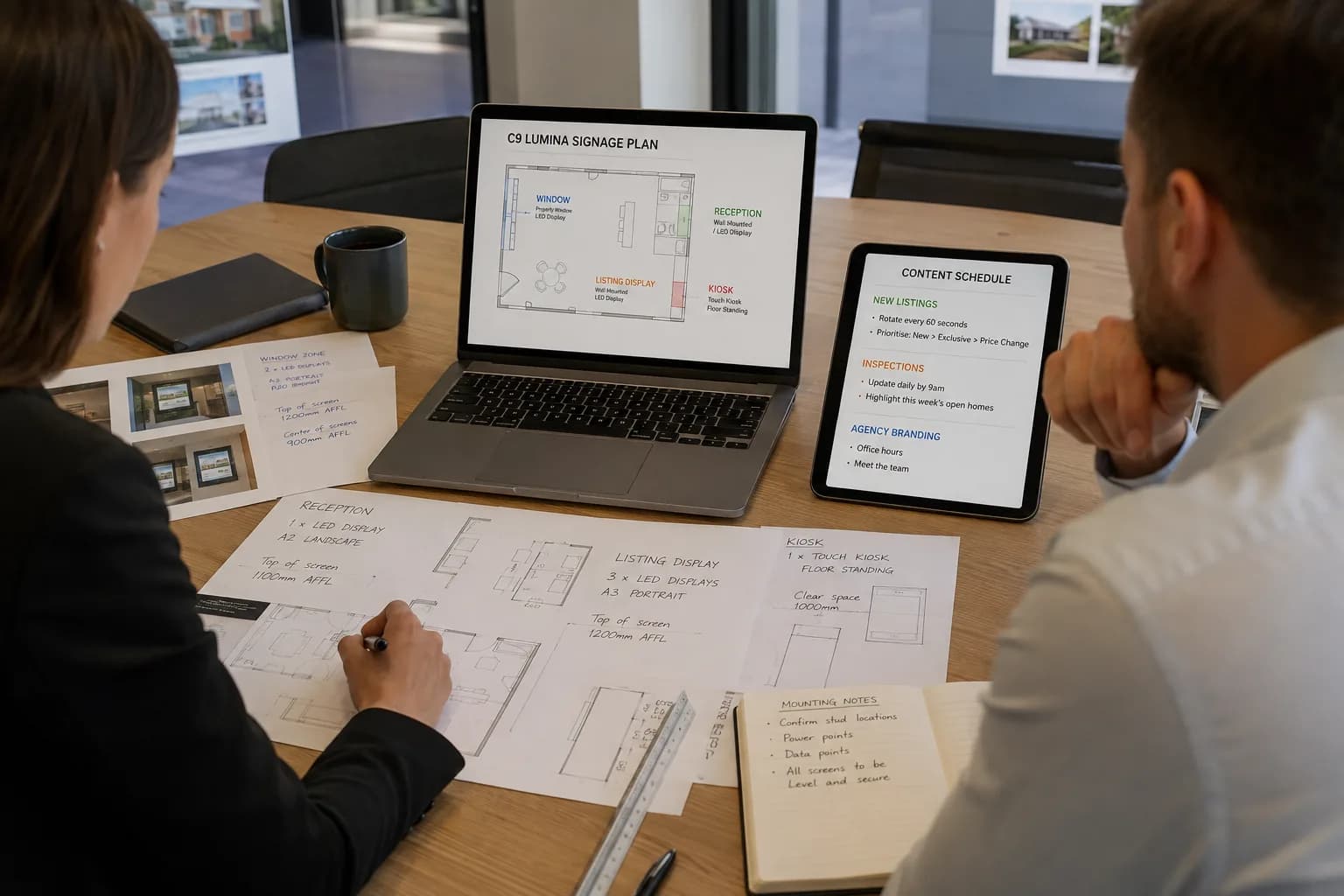
Window & reception displays
Choose displays for the viewing distance and light, with a content process for listing updates and agency campaigns.
What we work through with you
- Assess window brightness and viewing distance.
- Choose a suitable content-management approach.
- Assign listing-update ownership and publication checks.
What this contributesProperty displays become part of the marketing workflow, with a practical way to keep information current.
IT support & access management
Agree support ownership and staff-change procedures so agency information stays with the business when roles change.
What we work through with you
- Confirm responsibility for CRM, network and device issues.
- Record business-owned accounts and supplier contacts.
- Plan account and device handover when staff change roles.
What this contributesAgency managers have a clearer support route and fewer loose ends when the team changes.
For the people doing the work
A clearer working day, across the team.
| Your people | What the plan supports |
|---|---|
| Sales teams | Business calling and approved access that follow the working day. |
| Property managers | Shared information and team routing for ongoing conversations. |
| Reception | Clear destinations for enquiries and overflow. |
| Agency principals | A repeatable branch setup and documented account ownership. |
A practical example
Two offices. One way of handling the next enquiry.
An agency opening another branch wants its local presence without creating a separate technology operation. Start with how calls, users and shared information move between the offices, then plan the equipment around that.
| Decision | What it means in practice |
|---|---|
| Keep local | Branch identity, local numbers and the workflows that suit each team. |
| Share carefully | Agency documents and collaboration tools with access appropriate to each role. |
| Coordinate | Calling, devices, connectivity and display setup before the branch opens. |
From plan to handover
Work around the business. Bring the details together.
- 01
Follow an enquiry
Map how reception, agents and property managers hand conversations over.
- 02
Check access on the move
Review agency devices, shared files and the systems staff use outside the office.
- 03
Plan the branch setup
Align phones, network and display requirements with the site and opening date.
- 04
Make the handover usable
Test everyday tasks with staff and leave clear support and account-ownership records.
Keeping work moving
Plan for the interruption. Not just the installation.
A smooth working day depends on preparation, clear responsibilities and a usable response when something goes wrong. These are part of the service conversation from the start.
Plan for the weekend
Agree actual support hours and escalation arrangements around your trading pattern; do not assume weekday coverage includes Saturday inspections.
Keep business access accountable
Make account removal, device return and information handover part of the departure process.
Coordinate application changes
Confirm CRM and portal requirements with their providers before changing the surrounding network or devices.
Beyond handover
Keep checking the things that matter.
Agree what to review against your starting position and service scope. Useful measures should reflect the work your team is trying to do, with changes prioritised together.
- Calling exceptions and unanswered-call follow-up ownership
- Staff access and device handover completion
- Branch issues that repeatedly interrupt work
- Display updates and outdated listing content
Review findings can inform the next change, a supplier conversation or a decision to leave a working system alone. The aim is a maintained environment that keeps pace with your organisation.
Before you decide
A few useful answers.
Can we keep our existing CRM?
We can plan the surrounding devices and network with your current CRM in mind. Any integration needs to be checked against the product, licence and vendor support available.
Can office calls reach staff on the move?
Compatible business calling services can support this. The right arrangement depends on your existing numbers, devices and how you want calls answered and handed over.
For the next conversation
Bring your team into the plan.
Download the industry solutions portfolio, including capability details, practical examples and delivery considerations. Share it with your team to discuss priorities, existing suppliers and your next steps.
Download solutions PDF