
01
Appointment reminders
A booking is coming up.
EXAMPLE
Hi Alex, your appointment is tomorrow at 10:30 am. Call us if you need to reschedule.
Keep the time and next step easy to find.

Buy standalone SMS API access from C9. Connect your booking, order or customer system so an agreed workflow can send updates without staff composing each message. Software and integration are additional requirements.
Example one-way SMS updates.
Business: Hi Alex, your appointment is confirmed for Thursday at 10:30 am.
Business: A reminder: your appointment is tomorrow at 10:30 am.
Business: Need to change your booking? Please contact our team.
A booking, an order or a changed schedule can trigger a useful update. Your software controls when it is sent.
A booking is coming up.
Hi Alex, your appointment is tomorrow at 10:30 am. Call us if you need to reschedule.
Keep the time and next step easy to find.

An order is ready.
Hi Sam, your order is ready to collect. We’re open until 5 pm.
Let customers know when to come in.
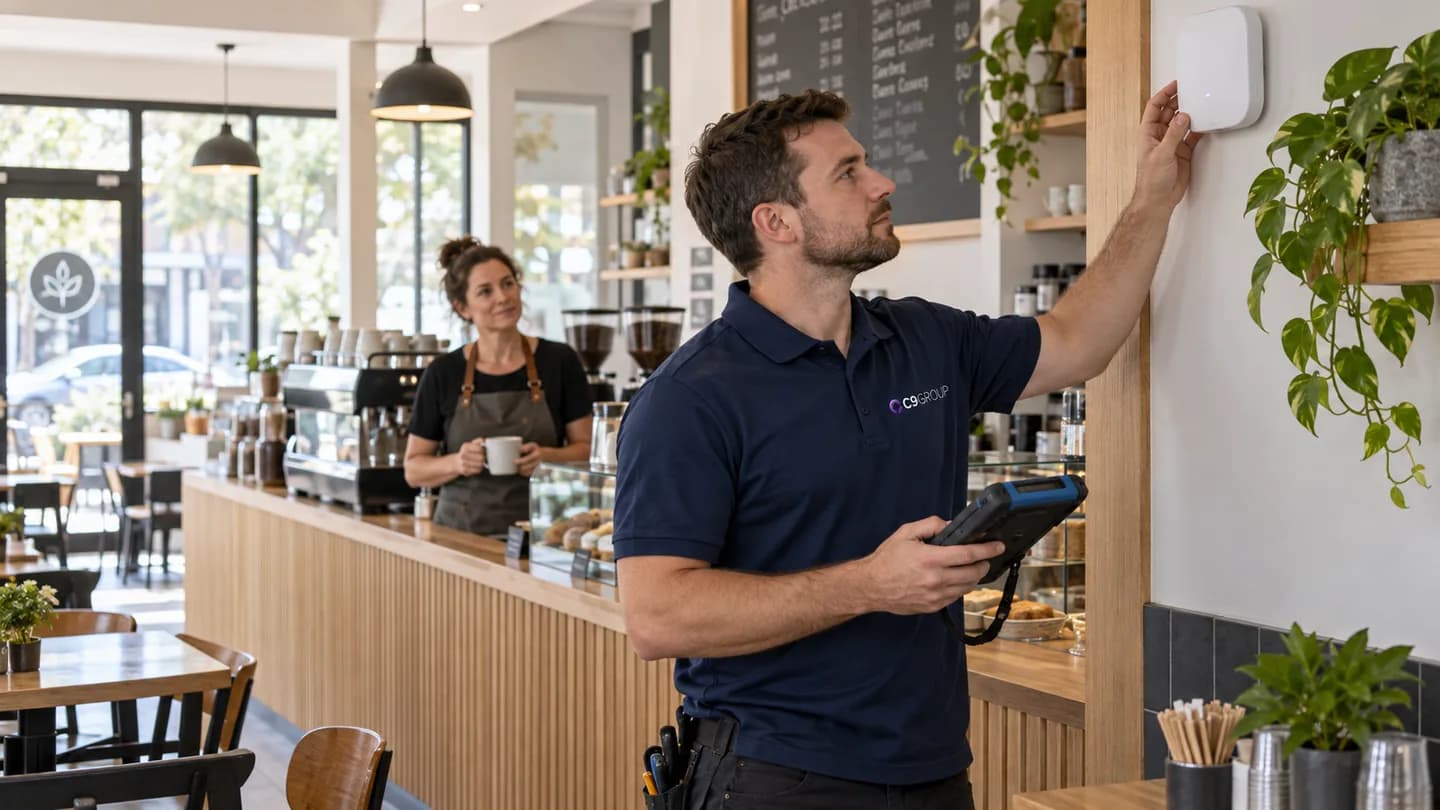
The schedule has changed.
Your service visit is now Friday, 9–11 am. Please contact our team with any questions.
Share revised details before the visit.

A customer has opted in to offers.
Our weekend offer starts today. Visit us in store. To opt out, contact our store.
Reach interested customers with a suitable opt-out method.
Match the connection to the way you work. Availability depends on the selected service, destination or account, and the software connected to it.
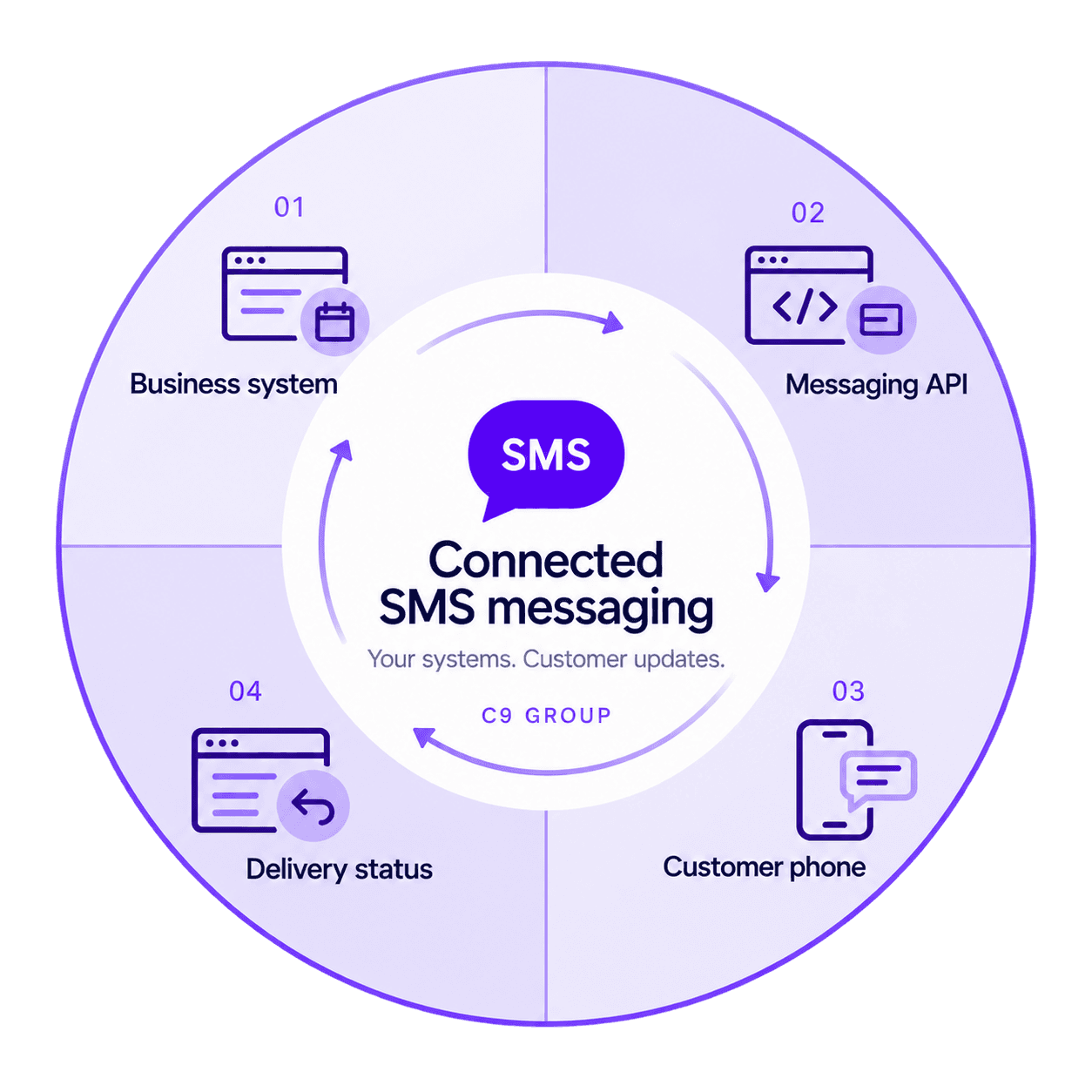
A compatible application submits the message request. Its connector or developer defines when the message is sent.
Your application can supply names, booking times and order details. The source data and message rules stay in your workflow.
Return supported status events to your application so your team can identify messages that need attention. Delivery status is not proof of reading.
Discuss a business-name sender or number. Destination support and registration requirements determine the available options.
Two-way use needs a supported number and a configured receiving application. Business-name senders cannot receive SMS replies.
Your developer or connector can link available message and status data to a booking or order. Your application supplies the reporting view.
C9 supplies the messaging API access. Your application controls the messages and triggers; its connector or developer links the two.

Buy SMS API access independently of other C9 services. Confirm recipient countries, sender choice and required status events before ordering.
Use your existing application if it can connect, or select software with a suitable connector. A campaign builder or reporting application is not included with API access.
Your use case, recipient permissions, message content and a compatible application. Agree who configures and maintains the connection.
Need help connecting it? Include that in your enquiry. Confirm whether C9 can quote for the work or whether you need your software provider or developer before ordering API access.
C9 supplies API access. Your business provides message content, recipient permissions and someone to own the workflow. Software configuration, testing and maintenance need an assigned application provider or developer; any work you ask C9 to perform must be agreed in the quote.
Before activation, agree the contact and coverage for API service issues, who fixes the software connection and who reviews failed messages or unanswered replies. API access alone does not include ongoing workflow management.
Budget for message usage, any applicable service or sender fees, and software or integration work. Message length and characters can affect billable segments. Ask for one-off and recurring charges to be identified separately.
Choose your first use case, such as a booking confirmation, then identify the software that will hold customer details. You can enquire before you have an application or developer.
Tell us which booking, order or customer system you use and what should trigger a message. An existing connector may help; a custom connection may need a developer.
Plan which location appears in each message, where replies go and who owns the customer record. Include your existing sites when defining the connection.
A practical guide to choosing your channel, understanding the setup and preparing for a quote.
Agree the work and responsibilities before connecting your first workflow.
Choose the messages, destinations, sender and whether you need replies.
Assign service setup to the agreed provider and software configuration to your application provider or developer. Record any C9 implementation work in the quote.
Your business and integrator test content, triggers, recipients and available status events, plus replies if enabled.
Agree the activation steps, service support contact and who maintains the application connection before sending to customers.
The service, software and setup questions worth settling before you start.
Yes. C9’s SMS API service is available independently. No other C9 telecommunications or IT service is required.
Replies require a reply-capable sender and an application configured to receive them. Alphanumeric business-name senders are one-way. The available number and destination options need to be checked for your selected service.
A business-name sender may be available, subject to destination support and registration or approval requirements. Provide the proposed name and recipient countries when you enquire. This sender type does not accept direct SMS replies.
Share your application name, version and any messaging connector or API documentation. A connector must work with the API being purchased; having an SMS feature alone does not establish that. Without a suitable connector, a developer must build and maintain the connection.
Supported status events can help your application record the progress or outcome of a message. Availability and detail vary by service and destination. Delivery status does not confirm that a person has read the SMS.
The applicable billing unit is confirmed in your quote. SMS can be billed by segment, so a longer message or certain characters may use more than one unit. Destination rates, sender charges and other applicable fees are also confirmed in the quote.
Share your use case, recipient countries, expected volume and software details if known. We can discuss the sender and reply requirements. Configuration, integration responsibilities, testing and activation steps are agreed before the service is used.
A compatible application can trigger a request when a booking is made or a reminder becomes due. That trigger must be configured and tested in your software; API access alone does not create the automation.
Your application can supply those details when it creates the message. Keep the source records accurate and test how missing information is handled. Personalisation and message rules are part of the application workflow.
Your application can use supported status events to flag messages that need attention. Agree who reviews failures and whether a retry or another contact method is appropriate. Automatic retries or fallback channels need their own configured workflow.
Tell us what triggers the message, who receives it and which system you use.
Send your requirements to C9 with email as your preferred contact method. Use the discussion to establish the API fit, pricing and work needed before placing an order.
Choose which optional analytics and live chat tools C9 GROUP may use. You can change this later from the footer.